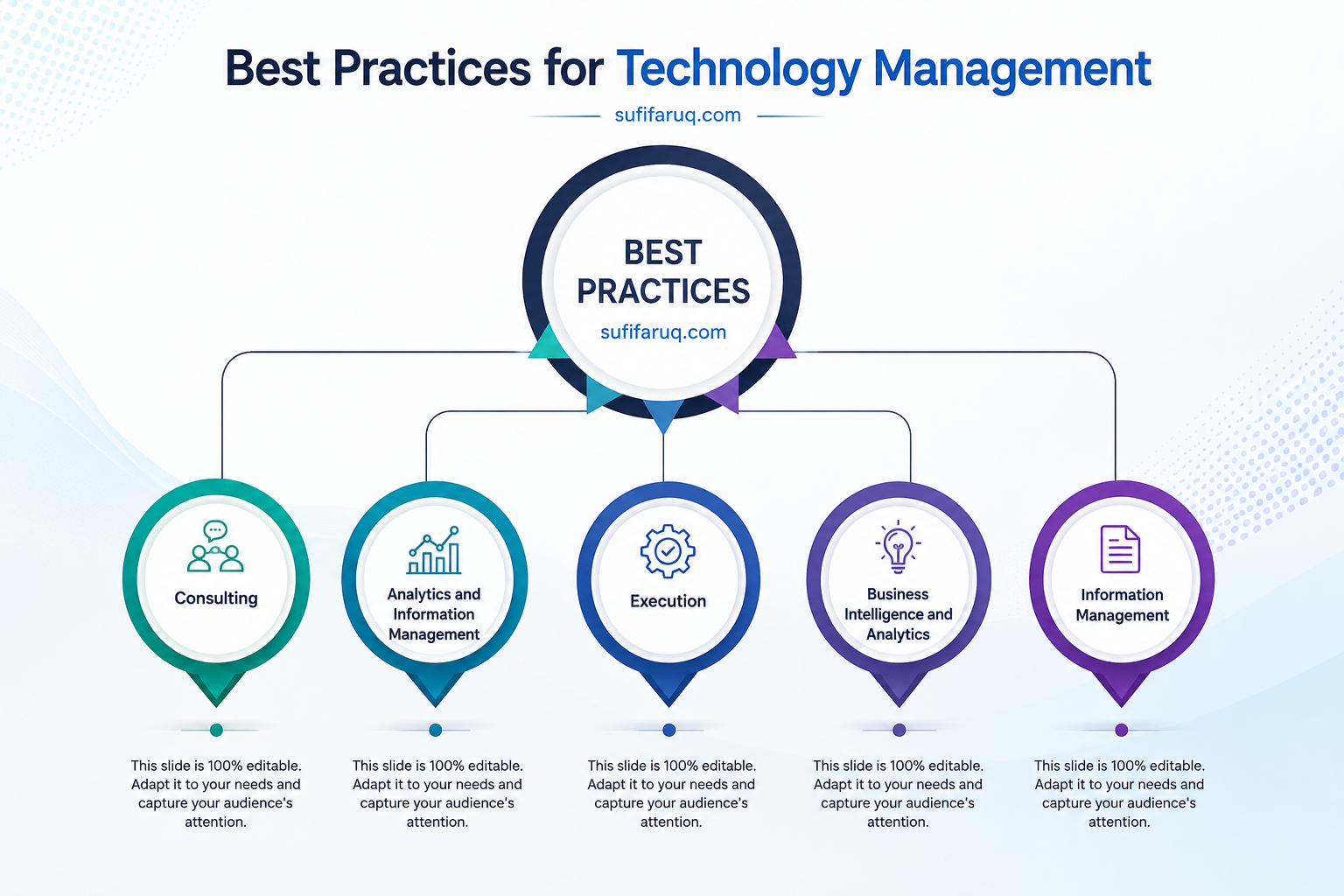
Information technology is no longer just a basic, back-office supporting department or a mere PC troubleshooting desk; it is the core driving force behind any modern business. However, without the right strategy and forward-thinking direction in this vast ocean of technology, losing your way or facing massive financial losses is simply a matter of time.
Throughout my long professional career, I have seen many large organisations and brilliant technical projects completely fall apart midway through, simply due to chaotic workflows and a lack of foresight. This is precisely where the true magic or concept of ‘Best Practice’ comes into play.
These are essentially proven rules and global frameworks that successful IT experts worldwide have crafted through years of experimentation and real-world experience. The primary objective of this 10-part series is to provide our country’s young IT professionals and aspiring CIOs with a practical guideline that will make their daily operations flawless.
At the same time, it will ensure your IT infrastructure becomes cost-effective and meets international standards. Let us learn to manage and run technology in the corporate world using proper, professional methods, rather than simply jumping onto every passing trend.

Table of Contents
IT Best Practices
IT Governance and Frameworks
The very first lesson for any IT leader or professional is to have a defined and standard framework in place. If you start working in a chaotic or ad-hoc manner, you will inevitably lose control over the entire IT operation as the organisation or system scales up. Therefore, the absolute first step in IT best practices is establishing a robust ‘Governance’ model.
Simply put, IT governance means driving technology in a way that aligns with the organisation’s core goals, thereby reducing security risks and maximising the return on technology investments. In many large companies, the IT team slogs day and night, yet the board of directors or top management fails to see how it actually benefits the business.
Proper governance bridges this communication gap. It ensures, with absolute certainty, that every single step taken by the IT department aligns perfectly with the organisation’s overall business strategy.
Leading global organisations do not waste time reinventing the wheel; they strictly follow proven global frameworks that are already in place. Some of the primary frameworks include ITIL, COBIT, and ISO/IEC 27001.
ITIL (Information Technology Infrastructure Library) is the world’s most popular framework for IT Service Management (ITSM). It provides an A-to-Z guideline on how your IT department should deliver daily services and how to swiftly track and resolve user technical issues through Incident Management.
COBIT (Control Objectives for Information and Related Technologies) creates an excellent bridge between a company’s business direction and its IT management. It is widely considered the best framework for internal control and risk management. Meanwhile, ISO/IEC 27001 serves as the definitive international standard for ensuring information security and robust cyber defence.
The core ethos of best practice dictates that every single task must have a professional ‘Standard Operating Procedure’ or SOP. There must be written documentation detailing exactly when and how server backups are taken, or how new user access is created within the system.
The greatest advantage of having these SOPs is that even if a key employee suddenly resigns, the system or the chain of command remains completely unaffected.
In our local IT culture, there is still a tendency to manage tasks verbally or through ad-hoc improvisation. However, if we want to reach global standards, there is no alternative to keeping proper records of every task and strictly following a framework. As an IT head, your first responsibility is to select a framework that perfectly fits your organisation and enforce it rigorously.
Information Security
There is a popular saying in the cyber world: “There are only two types of companies out there: those that already know they have been hacked, and those that don’t know it yet.” However harsh that may sound, it is the digital reality we live in today. As an IT leader, the very first thing we must drill into our minds is that security is not just a routine task like buying an expensive firewall or changing passwords every three months; it is an entirely holistic culture across the organization.
The foundation of any security strategy stands on three pillars, which we call the CIA Triad. First is confidentiality—meaning data or information is only visible to those with explicit permission to view it. Second is integrity—ensuring the accuracy of information so that no one can maliciously or accidentally alter data in the back-end. And the last is availability—guaranteeing that legitimate users can access the system without any disruption whenever needed. A gap in any one of these three means your entire security chain breaks down.
Right after that, the area requiring our utmost focus is Identity and Access Management. My preferred policy here is the ‘Principle of Least Privilege’. The math is incredibly simple—give individuals access to exactly what they need for their job, and nothing more. A data entry operator should never, even by mistake, be given server administrator privileges. Furthermore, to protect against password theft, implementing Multi-Factor Authentication (MFA) via OTPs or biometrics is no longer a luxury; it is a strictly mandatory practice globally.
If you dig into the history of the world’s major cyberattacks, you will find that most occurred due to security loopholes or vulnerabilities in outdated software. Whenever vendors release a security patch or update, a strict culture must be established within the IT team to deploy it immediately rather than putting it off. Keeping everything from your database to the office’s last router completely up to date is your primary line of defence.
At the same time, standard antivirus software is no longer enough to protect office computers, laptops, or employees’ smartphones; Endpoint Detection and Response (EDR) solutions should be utilized instead. Network segmentation is also crucial to keep the office guest Wi-Fi and the core database network entirely separate, ensuring that even if malware enters through the guest Wi-Fi, it cannot reach the main database.
Whether data is traveling from one place to another or sitting in storage, keeping it encrypted in both states is one of the biggest responsibilities of a professional IT head. This ensures that even if data is leaked somehow, it remains completely unreadable to hackers without the correct digital key.
However, no matter how many millions you spend on security tools, if an employee in your office clicks on a phishing email out of greed to win a lottery, your entire security apparatus can collapse in an instant. This is why regular security awareness training and testing employees with simulated phishing emails are absolutely necessary.
Finally, instead of clinging to the unrealistic assumption that an attack will never happen, you must have a proper Incident Response Plan (IRP) ready beforehand to minimize damage immediately without panicking. This plan must clearly dictate who is responsible for what when danger strikes.
Data Backup and Disaster Recovery
A terrible day can always come in an IT career when a short circuit suddenly sparks a fire in the server room, the data centre gets flooded, or you walk in on a Monday morning to find all your organisation’s files locked by a devastating ransomware attack. In that moment of extreme crisis, both your job and the very survival of the entire company will depend on a single question: do you have a proper backup, and are you actually prepared to handle this situation? Data backup and disaster recovery are not just ordinary, routine IT tasks; they are a business’s true ‘life insurance’ for survival.
To protect data, IT experts worldwide follow a golden rule known as the 3-2-1 principle. The core idea is that, alongside your primary data, you must have at least two additional backup copies, making a total of 3 copies. These copies must be stored on at least two different types of media or hardware—for instance, one on a local server and the other in the cloud or on an offline tape drive. The final ‘1’ means that at least one backup copy must be kept off-site in a completely different geographical location, ensuring that even if a major disaster hits the main office, the data elsewhere remains entirely safe.
However, before designing a backup policy, you must sit down with management or business owners to establish two technical parameters with crystal clarity. The first is RPO (Recovery Point Objective), which dictates the maximum amount of data loss you can tolerate if a system crashes; if this is set to 1 hour, you must build an architecture that takes backups every hour. The second is RTO (Recovery Time Objective), which refers to exactly how quickly you need to bring the entire operation back live after a system downtime.
In this day and age, hackers are incredibly cunning; once inside a system, they will delete or encrypt any backup files connected to the network. The only way to mitigate this risk is by maintaining an ‘air-gapped’ backup, meaning a backup copy that is completely offline and disconnected from any network, making it impossible for hackers to reach.
Over my many years in this profession, I have met plenty of IT managers who confidently boast that their backups are running perfectly every single day. Yet, when a real system crash occurs, they discover the backup file is corrupted or unusable. This is why it is absolutely vital to periodically test and restore data practically from your backup files. Always remember: “Backup is a process, but restore is the result.” If you cannot restore it, that backup is worth absolutely nothing.
Alongside recovering data, you need a written Disaster Recovery Plan (DRP) to keep the business operational, clearly outlining who does what during a crisis, which systems take priority, and the emergency contact list. To ease this entire headache in modern IT operations, using cloud backups like Azure, AWS, or Google Cloud has become a must-have practice, as they automatically send data off-site.
Finally, instead of wasting bandwidth and storage by backing up the entire dataset daily, you should follow a smart policy: run a ‘full backup’ once a week, and for the remaining days, back up only the changes made that day (Incremental/Differential).
Software Development Lifecycle (SDLC)
Building or buying custom software for an organisation is not just a technical project; it is fundamentally a long-term strategic investment. In our IT industry, we often witness a disheartening scenario—massive amounts of money and time are spent to bring a software live, only to find it is of no actual use to the end-users, or it ends up riddled with countless bugs within a few months of launch. The primary reason for such unfortunate situations is the failure to follow a defined ‘Software Development Lifecycle’ or SDLC framework. By global standards, good software is not just about rushing to write code; it is the product of a disciplined and continuous process.
The absolute best practice in software development is ensuring you are one hundred percent certain about ‘why’ and ‘what’ you are building before any coding begins—a phase we call Requirement Analysis. The real trick here is to understand the true needs of the business, not in a developer’s technical jargon, but in the plain language of an ordinary user who just wants to see specific results on their screen at the end of the day. Every single detail of these discussions must be documented in writing as a Business Requirement Document (BRD); attempting to build software based on verbal instructions is a surefire way to drive a project to absolute failure.
The next step, prior to writing code, requires a flawless blueprint or design of the system. During this system design phase, you must consider how scalable the software architecture is—meaning, can it handle the load if users or data scale up in the future? Additionally, its User Experience (UX) needs to be exceptionally straightforward, as an overly complex design can often render an otherwise brilliant software completely useless to its users.
Under the pressure of project deadlines, developers frequently write messy or disjointed code to finish quickly, which can be catastrophically damaging to the system in the long run. To avoid this chaos, it is mandatory for the development team to follow a specific coding standard or style guide, ensuring that any new developer coming on board in the future can easily read the code.
At the same time, proper commenting must be maintained within the code, and utilizing version control tools like Git or GitHub to track every single change is now a global standard. Once the code is written, there is absolutely no substitute for rigorous testing before taking the software live. Alongside running unit tests on every small section of the code individually, you must ensure there are no security loopholes through thorough security testing. Finally, you must let actual users run the software for User Acceptance Testing (UAT) to confirm it genuinely meets the real requirements of the business.
In modern IT practices, the days of manually uploading files to production servers are long gone. Today, automation methods like Continuous Integration (CI) and Continuous Deployment (CD) pipelines are used to automatically test code and deploy updates to the server, which slashes the risk of human error and massively boosts operational speed. However, your responsibility does not end the moment the software is delivered or handed over; the real challenge begins after it goes into use.
To manage this, you must keep a regular feedback loop active with the users, and constantly clear out old or redundant code to reduce Technical Debt, keeping the system lightweight and agile. Lastly, the traditional ‘Waterfall’ model of the past—where everything is done in stages and the software is only shown right at the end—is completely outdated.
The modern global best practice is to adopt the ‘Agile’ methodology, where the entire project is broken down into small tracks, and a working piece of software is demonstrated to the user every two weeks, or at the end of each ‘Sprint’. This not only allows for swift course correction whenever errors arise but also makes it far easier for the IT team to keep pace with the shifting demands of the business.
IT Budgeting and Cost Optimisation
Many skilled IT professionals believe their job is solely about keeping servers up, fixing networks, and coding day and night. However, the moment you reach a leadership or technical management stage in your career, your primary challenge will no longer be coding.
Your real test will shift to the boardroom table, where you must justify your IT budget to the directors. A massive part of IT best practice revolves around ensuring the maximum and most efficient use of the organisation’s financial resources.
Pouring money blindly into technology is incredibly easy, but extracting genuine business profit or driving greater value from that investment is where a successful CIO truly shows their expertise. Stepping into the world of IT budgeting, the very first thing we must understand is the classification of expenses.
Simply put, this is the calculation of CapEx versus OpEx. CapEx, or Capital Expenditure, refers to large, one-off investments, such as building a new data centre, purchasing servers, or buying perpetual licences; these are recorded as the organisation’s long-term assets.
On the other hand, OpEx, or Operational Expenditure, represents daily or monthly running costs, such as internet bills, cloud subscriptions, annual maintenance contracts (AMC), or team salaries. The modern global trend is to minimise CapEx and shift as much as possible towards OpEx.
In other words, rather than spending millions upfront on hardware servers, you opt for cloud services on a monthly pay-as-you-go basis. This approach does wonders for maintaining a healthy corporate cash flow.
When purchasing technology, we often make a major blunder—we look only at the ‘sticker price’ or the initial purchase cost of a software or hardware. However, true best practice involves calculating its Total Cost of Ownership or TCO.
Let us take a simple example—you might buy a printer for £1,000, but over the next three years, you end up spending another £2,000 on cartridges, paper, electricity, and maintenance. Therefore, before purchasing any technology, you should calculate the full expenditure for the next five years.
This is crucial because cheap items often turn out to be the most expensive in the long run. Alongside this, another major headache for an IT head is controlling ‘Shadow IT’. Shadow IT refers to various departments independently purchasing and using software or cloud subscriptions without the IT department’s knowledge.
This not only causes significant financial leakages for the organisation but also creates severe data security risks. To mitigate this issue, a rule must be enforced ensuring that all technology purchases, big or small, are processed through a centralised channel—the IT department. This eliminates duplication and helps secure volume discounts from a single vendor.
As an IT leader, your primary goal should be ‘cost optimisation’, rather than blindly ‘cost cutting’. Cost cutting simply means slashing budgets across the board and crippling the IT team.
Conversely, optimisation involves cancelling redundant or unused licences, shutting down cloud resources when they are not required, and using virtualisation to decrease the number of physical servers. Quite often, you might find an organisation has purchased 100 software licences, but only 70 are actually being used in the back-end.
Saving money on those 30 idle licences is what genuine optimisation looks like. Similarly, instead of sourcing services from ten different vendors, consolidating them under two or three trusted partners—known as ‘vendor consolidation’—can dramatically reduce expenses. Securing multi-year contracts with vendors can also significantly lower annual costs.
When it comes to budgeting, simply adding 10% or 15% to the previous year’s expenditure to submit a new budget is an incredibly archaic and outdated method. The best practice in the modern corporate world is to follow Zero-Based Budgeting (ZBB).
This means that with every new year, you must justify the reasoning behind every single expense entirely from scratch or zero. This practice helps identify redundant projects and weed them out of the budget.
Finally, to maintain this level of financial discipline, having IT Asset Management (ITAM) or a centralised asset database is a must. If you do not have an accurate track of exactly how many laptops you have, how many licences are active, and when their warranties or renewal dates expire, asset wastage or loss is only a matter of time. Ultimately, the organisation ends up paying a heavy price out of pocket for these inefficiencies.
Cloud Computing and Infrastructure
There was a time when the unwritten rule of IT infrastructure was simple: you built your own massive on-site data centre, lined up endless server racks, and had a team working in shifts 24/7 to guard a freezing, air-conditioned room.
However, over the last decade, the tech world has turned that concept completely on its head. A massive chunk of modern IT best practice is now about not carrying everything on your own shoulders and putting your trust in the cloud instead.
But fair warning—going to the cloud doesn’t mean blindly throwing your entire office setup online just because it’s a trend; it is a highly nuanced, strategic business move. You might well ask, why should we even bother migrating?
Essentially, there are three main drivers behind this. First is scalability—you might have 1,000 users on your system today, but if that spikes to 100,000 tomorrow morning, buying and setting up new physical servers would take you at least a week.
In the cloud, you can sort that out in a matter of minutes with just a few clicks. Second is availability—global giants like AWS, Azure, or Google Cloud guarantee a 99.99% uptime that is near-impossible for any local IT team to replicate on-premises.
The final piece of the puzzle is cost control—you don’t need massive upfront capital investments; you just settle the bill on a pay-as-you-go model for exactly what you use. That said, the main reason most firms end up bleeding money in the cloud is down to poor configuration.
We often find ourselves renting massive servers only to discover we’re barely using 10% or 15% of their capacity. To stop this waste, you need to run regular cloud utilisation checks so you can downsize those idle servers to match your actual needs.
In the tech industry, we call this ‘right-sizing’, and it can slash your cloud bill by 20% to 30% in the blink of an eye. Of course, putting absolutely everything in the cloud isn’t brilliant, but then neither is keeping everything trapped on your local hardware.
The real sweet spot is putting together a solid hybrid and multi-cloud strategy. This simply means keeping your core, highly confidential data on your own physical servers, while running your heavy web apps or email services in the cloud.
Equally, rather than putting all your eggs in one basket with a single provider, spreading your wings across multiple clouds ensures that if one vendor goes down, your entire business doesn’t grind to a halt. Another massive best practice is moving away from the old physical server mindset entirely.
Using containerisation technologies like Docker and Kubernetes is now the industry standard. They package your software up neatly so it can run flawlessly in any cloud environment, which speeds up your development cycles massively.
There is a huge misconception out there that once your data is in the cloud, it becomes the cloud vendor’s problem. That couldn’t be further from the truth; you always have to keep the ‘shared responsibility model’ in mind.
The cloud provider only handles the physical security of the infrastructure underneath. Encrypting your data, managing access control, and keeping a tight lid on your password policies within that system remains 100% your responsibility.
On top of that, the days of manually clicking your way through server configurations are well and over. Modern IT leaders now use tools like Terraform or Ansible to spin up an entire infrastructure with code at the click of a button—technically known as Infrastructure as Code (IaC).
This completely cuts out human error and means if disaster strikes, you can have your entire environment back up and running in a few minutes flat. Finally, you must have a solid ‘exit strategy’ ready before you even dip your toes into the cloud.
Getting into the cloud is a breeze, but pulling all your data out to move elsewhere can be a real nightmare—a trap known as vendor lock-in. That’s why a backup plan for moving your system in the future needs to be inside the IT director’s head from day one.
Data Privacy and Compliance
There was a time when people thought the IT department’s only job was to keep the systems running and the office internet active. Nowadays, however, one of the main reasons IT directors lose sleep at night is the constant worry over compliance and regulatory hurdles.
No matter how brilliant or expensive your back-end technology is, if you fail to protect your customers’ privacy or breach local laws, your entire organisation could face crippling fines, or even a complete legal shutdown.
We need to clear up a very common misconception here amongst tech pros—we often tend to lump data security and data privacy into the same bucket, but they are entirely different beasts. Put simply, data security is about technically shielding your info from hackers and external threats, which is why we use tools like encryption and passwords.
Data privacy, on the other hand, deals with the legal and ethical side of things; it focuses on protecting the legal rights regarding whose data is collected, why it’s being taken, and who it’s being shared with. True best practice means being absolutely crystal clear with customers about exactly what you plan to do with their personal details the moment you collect them.
In today’s global business landscape, the ultimate benchmark for data privacy is Europe’s GDPR. Many folks think, “I’m running a business in Bangladesh, why on earth should I care?” The reality is, if you are handling even a tiny scrap of data belonging to an EU citizen while sitting in Dhaka, you are legally bound by these strict rules.
On top of that, local regulations like the Cyber Security Act keep a very close eye on things, and work on the upcoming Data Protection Act is already underway. So, a modern IT leader can’t just stop at understanding technical code or architecture; you need a flawless grasp of the ins and outs of both local and international data laws.
A brilliant global strategy to keep you out of legal hot water is ‘data minimisation’. A bad old habit across many of our organisations is hoarding heaps of unnecessary personal data—like dates of birth, National ID numbers, or home addresses—that the business doesn’t actually need.
Remember, the more redundant data sitting in your database, the bigger the bullseye on your back for a potential hack or data breach. You must build a strict habit of collecting only the absolute bare minimum required to get the job done.
Another major pillar of modern privacy is the ‘right to be forgotten’. If a customer or user demands that their details be wiped from your systems forever, you are legally obligated to make that happen.
This means your database architecture and back-end code must be designed so that a user’s data can be permanently deleted with a single click—not just from the live database, but completely vanished from your historical backup copies as well.
Similarly, you have to be incredibly careful with ‘data localisation’. Laws in many countries strictly forbid sensitive data, especially financial or healthcare records, from ever crossing borders or being stored on foreign servers.
Therefore, if you are utilising cloud services or external data centres, it is vital to cross-check that your server’s data region complies 100% with local legislation; hosting sensitive data abroad without knowing any better can land you in serious legal trouble.
The only way to ensure this entire chain of legal safety is actually working is through regular audits and flawless log management. It is now completely mandatory to maintain a watertight, forensics-ready ‘audit trail’ showing exactly who logged in, when they did it, what files they viewed, and what changes they made.
If disaster strikes and you experience a data breach or misuse, these log files will be your primary line of defence to prove your innocence in the courtroom. Without this strict tracking of audit reports, securing a global security certificate like ISO 27001 is a total pipe dream.
Finally, leaving privacy as an afterthought at the very end of a project will skyrocket both organizational costs and risks. The modern global standard is to live by the principle of ‘privacy by design’.
This simply means that security and privacy considerations must be baked into the software or system from day one, at the absolute scratch level. You need to set down ironclad guidelines for your development team right from the start, ensuring that every single new coding feature automatically guarantees user privacy right from the back-end.
Project Management (Agile & Scrum)
There is a popular saying in the IT world: “Without proper management, even the best code or infrastructure is just an expensive piece of rubbish.” In the old days, tech projects relied on the massive ‘Waterfall’ model; where a mountain of planning was done upfront, and the final software was delivered to the client all at once, often a year or two later.
However, in today’s fast-paced business environment, this archaic way of working is completely dead in the water. The ultimate best practice for modern IT leaders is to embed an ‘Agile’ mindset and rigorously enforce the ‘Scrum’ framework within their teams.
The core engine of Agile project management is breaking the workload down into bite-sized, manageable chunks known as ‘Sprints’. Typically lasting two to four weeks, each Sprint culminates in demonstrating a working software feature to the client or end-users.
The greatest advantage here is that you don’t have to wait months on end to see results. If business requirements suddenly shift or a flaw is spotted, you can pivot instantly mid-way through at a minimal cost, crashing the risk of total project failure to absolute zero.
Another brilliant practice within the Scrum framework is the ‘Daily Standup’—a sharp, 15-minute meeting every morning. The team stands together and answers just three simple questions: what did I do yesterday, what am I doing today, and are there any blockers in my way?
This simple routine completely eliminates communication gaps and keeps momentum high across the floor. Alongside this, running a ‘Retrospective’ at the end of every single Sprint is a must; this is where the team openly reviews what went well and where they need to sharpen up for the next cycle.
Finally, managing projects verbally or via clunky Excel sheets is ancient history. Modern Scrum teams utilise professional project management tools like Jira, Trello, or Asana to maintain a digital ‘Kanban Board’.
With columns like To-Do, In Progress, and Done, these boards ensure the real-time status of the project is crystal clear to everyone—from top management right down to junior developers. As an aspiring CIO, your job isn’t to micro-manage or run your team ragged, but to keep them within this disciplined, professional framework to guarantee project delivery.
User Support and Experience
The true success of an IT department cannot be measured solely by server uptime or bug-free coding; its ultimate benchmark is the end-user or customer’s satisfaction at the end of the day. You could buy the most expensive software or infrastructure in the world, but if your employees struggle at every turn to use it, that technology is completely pointless.
A massive part of IT best practice is making technology simple and a pleasure for people to use. To achieve this, we need to move away from the traditional ‘help desk’ mindset and adopt a modern ‘service desk’ model. While a help desk merely reacts when something goes wrong via a call or email, a service desk focuses holistically on the overall user experience and new service requests.
The ultimate best practice here is to deploy a centralised ticketing system like Jira Service Management or Freshservice. The culture of giving support verbally or over the phone needs to stop completely. It leaves no record or paper trail, making it impossible for leadership to track how long tickets have been sitting in the queue.
I have often seen IT teams spend 80% of their time troubleshooting minor, repetitive issues like password resets or printer connections. To ease this burden, you should build a robust ‘knowledge base’ or a library of video tutorials, enabling users to troubleshoot these minor hiccups themselves.
In the tech industry, this is known as a ‘Shift Left’ strategy. By empowering users to handle basic issues on their own, you clear the ticket traffic jam on your IT team. This frees up quality time for your team members to focus entirely on major strategic projects.
Nothing frustrates a user or employee more than being left in the dark about when their ticket will actually be resolved. To eliminate this uncertainty, every ticket must be bound by a strict Service Level Agreement (SLA). This policy significantly boosts the operational speed of the IT team.
For instance, your policy might dictate that critical issues or system outages must be resolved within four hours max, whilst standard requests are sorted within 48 hours. This clear timeframe and transparency builds deep trust and a solid relationship between the users and the IT department.
Whenever the IT department rolls out a new piece of software or feature across the office, it should be viewed through the customer’s eyes, not the developer’s. If a user has to click ten times just to get something done, the design is fundamentally flawed. This is where the ‘Design Thinking’ approach comes into play.
The core ethos of design thinking is psychologically understanding the user’s pain points first. A simple, clean, and intuitive user interface (UI) massively boosts employee productivity every single day. Therefore, after introducing any new tool, running short training sessions for users is essential.
Technology is constantly evolving, so if employees are left clueless about new features, they will make mistakes in the system, which elevates data breach risks. You need to run at least one short monthly session to raise awareness about new tech or cyber security; after all, an educated user means a lighter load on IT support.
Once support is delivered or a new system goes live, gathering regular feedback from your users is a absolute must. Send out a quick, automated rating survey the moment a ticket is closed. If a user drops a negative rating or voices frustration, the IT head should step in—either directly or through the team—to address it.
Finally, those working in IT support need more than just technical know-how; they must possess genuine empathy. When a user calls up because they are stuck in the system, they are usually under a lot of pressure. A bit of courtesy and a sympathetic ear can effortlessly diffuse the frustration of even the biggest technical breakdown.
IT Audit and Continuous Improvement
Over the previous nine parts of this series, we have dived deep into the nuts and bolts of IT management. But here is the million-pound question: are the systems and policies you have put in place actually running properly in the back-end? Or have new security loopholes crept in unnoticed?
The only way to get a straight answer to this is through a proper IT audit. Taking the lessons from that audit and using them to sharpen your operations day by day is what continuous improvement is all about.
Tech moves at such a breakneck pace that the moment you think, “Right, everything is sorted, I can put my feet up,” is the exact moment you start becoming obsolete. We must remember that an audit isn’t about micro-managing or playing the blame game; it’s simply about holding up a mirror to your own systems.
For starters, you should run an internal audit every six months by assembling a small, sharp team from within your own IT department. Are backups running smoothly? Is everyone actually sticking to the password policy? Check these yourself first.
Secondly, you need to bring in an independent, third-party firm at least once a year for an external audit. They will look at your architecture with a completely fresh pair of eyes and spot security gaps or vulnerabilities that you might have missed simply because you look at them every day.
When it comes to this relentless drive for continuous improvement, the Plan-Do-Check-Act (PDCA) model is the global gold standard. First, spot an area that needs tweaking and plan it out. Next, ‘do’—meaning roll out the change on a small scale.
After that, check and analyse the data; if the results look promising, then ‘act’ by embedding it permanently across the entire system. Just keep in mind that the board isn’t going to take your word for how brilliantly your IT team is performing.
You need hard data and metrics on the table, which we call Key Performance Indicators (KPIs). It is best to set up a few realistic, punchy KPIs for the IT department right from the get-go, such as maintaining a 99.9% system uptime.
Other crucial metrics include crashing the average ticket resolution time and tracking cost savings within the IT budget. When you sit in those high-stakes board meetings, these precise figures will be your ultimate shield and ammunition to prove your success as an IT leader.
Moreover, any repetitive task that your team has to handle manually day after day is a magnet for human error. Routine chores like generating reports, running server health checks, or executing weekly security scans need to be automated as fast as humanly possible.
This clears the decks for your team, freeing up their valuable time to focus on genuine innovation. Similarly, if your people aren’t learning new tech, your entire department will stall. Allocating an annual learning budget and pushing your team to bag global certifications is the hallmark of a forward-thinking CIO.
In the world of IT operations, a massive crisis is bound to hit sooner or later. Whenever a major incident occurs—whether it’s a total server outage or a nasty data breach—the very moment the fire is put out, you must gather the team for a blameless post-mortem analysis.
Instead of pointing fingers, the meeting must focus on two things only: why on earth did this happen, and what ironclad steps are we taking to ensure it never happens again? That mindset is what real professionalism looks like. At the end of the day, IT shouldn’t just be a back-office support function; it should be the primary engine driving new business ideas.

Through this ten-part series, my aim has been to bring the vast world of information technology into a disciplined, highly effective framework. As an IT leader or professional, your journey is, in truth, an endless one. Technology will constantly shift, and with that, your challenges will inevitably grow.
However, if your back-end processes and methodologies are robust and aligned with global best practices, you can navigate even the toughest situations with absolute ease. Information technology isn’t just a dry game of cables, motherboards, and code—it is the art of making human lives and business operations simpler.
Therefore, our ultimate goal in this modern tech era shouldn’t be to just sit in the back-office as a ‘technical person’, but to evolve into a core ‘strategic partner’ for the organisation. Thank you so much for taking the time to read through this series.
I hope the guidelines we have discussed here serve as a guiding star throughout your career. Whether you are driving success in the local corporate sector or making waves in the global tech world, stick to these gold standards, and keep flying the flag high for Bangladeshi IT professionals on the world stage. I wish you the very best of luck!
See more: